
Troubleshooting & Support
Contact Support and Report a Bug
By TermSquad · Last reviewed
Use Report a bug in the TermSquad account menu for a product problem, or email help@termsquad.com for general assistance and account-access issues.
For personal-data requests, use support@termsquad.com as specified in the Privacy Policy.
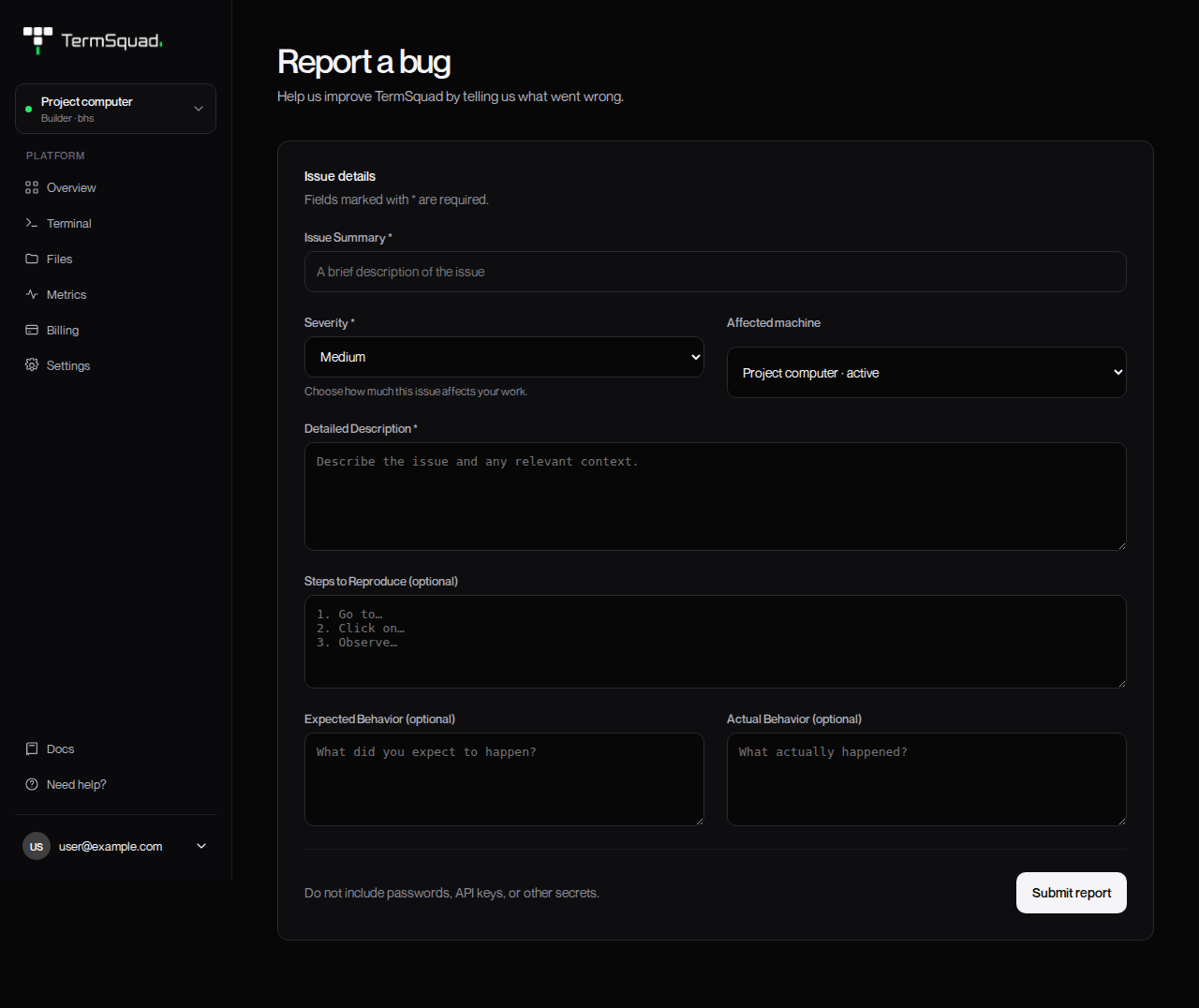
Submit a bug report
- Open the account menu and choose Report a bug.
- Enter Issue Summary.
- Choose Severity based on how much the issue affects your work.
- Select Affected machine, or General / account issue.
- Fill in Detailed Description.
- Add Steps to Reproduce, Expected Behavior, and Actual Behavior when possible.
- Select Submit report.
- Keep the reference shown after Your report has been received.
A report reference confirms receipt; it is not a promised resolution time.
Include details that help
Describe the smallest sequence that reproduces the problem. Include the approximate time and timezone, browser/device, relevant agent or tool version, and the computer’s visible state.
For example:
In Chrome on a laptop, I selected my project computer and opened Terminal at 14:20 UTC. Reconnect returned the same connection error. SSH still worked. The computer showed Active.
If you share a screenshot by email, capture the relevant area and remove private project data first. The bug form itself does not provide a screenshot-upload field.
Keep credentials out
Do not include passwords, email codes, API keys, private SSH keys, payment-card details, or entire environment files.
For payment issues, an invoice reference is useful. For an operation problem, include the action and visible message.
See Troubleshooting & Support for targeted checklists you can try before submitting a report.