
Account & Billing
Understand Billing for Multiple Computers
By TermSquad · Last reviewed
Each TermSquad computer has its own subscription. An account with three computers has three computer subscriptions, which can have different plans and billing periods.
Check a computer’s subscription
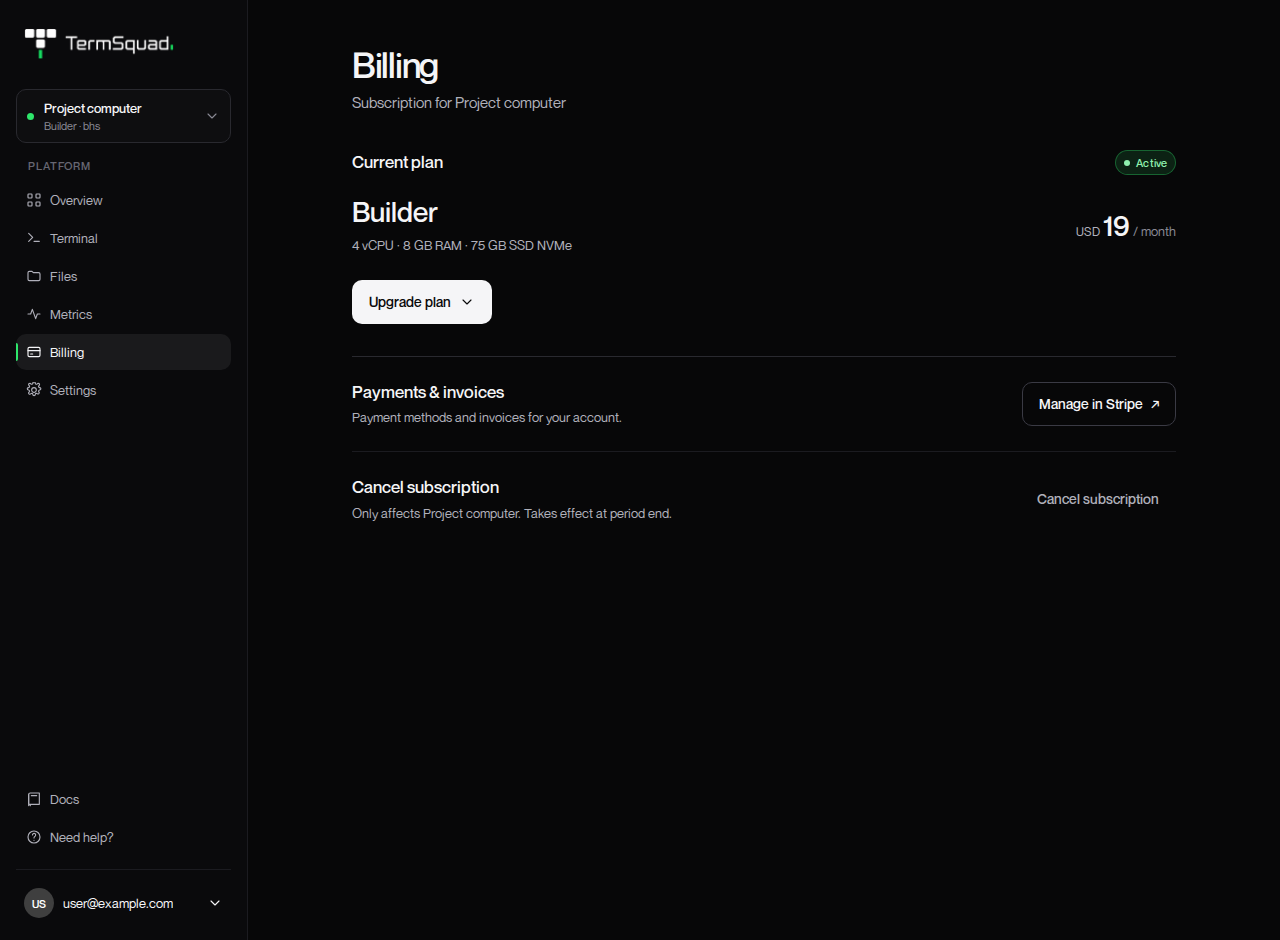
- Select the intended computer.
- Open Billing.
- Read the computer name and Current plan.
- Check whether the subscription is active, needs attention, or is scheduled to cancel.
An upgrade or cancellation on this page applies to that selected computer. Read the name in the confirmation before proceeding.
What is shared at account level?
Payments & invoices → Manage in Stripe opens account-level payment methods and invoices. That portal can include billing records for more than one computer.
A payment method change is different from changing a particular computer’s plan. Inspect the subscription or invoice involved when resolving a payment issue.
Does stopping a computer reduce the charge?
Power Stop does not cancel the subscription or pause recurring billing. Use Cancel subscription if you want the selected computer’s subscription to end at the end of its billing period.
Adding another machine starts another subscription. It does not transfer or replace an existing one automatically.
AI provider costs are separate from all of these computer subscriptions.
See Cancel a Computer’s Subscription, Update Payment Details and Download Invoices, and AI provider costs.